Lite
Free · First audit + monthly audits
Sign up for free, connect your devices, and review your first audit. Lite continues with free monthly audits and reports, including findings and remediation guidance.
Start with free Lite

Firewall configurations change as you add applications, adjust policies, and upgrade PAN-OS. Falco checks those configurations on a schedule and explains the issues it finds, so your team can prioritize fixes and catch regressions.
Falco Lite is free. Get your first audit when you connect, then keep auditing monthly.
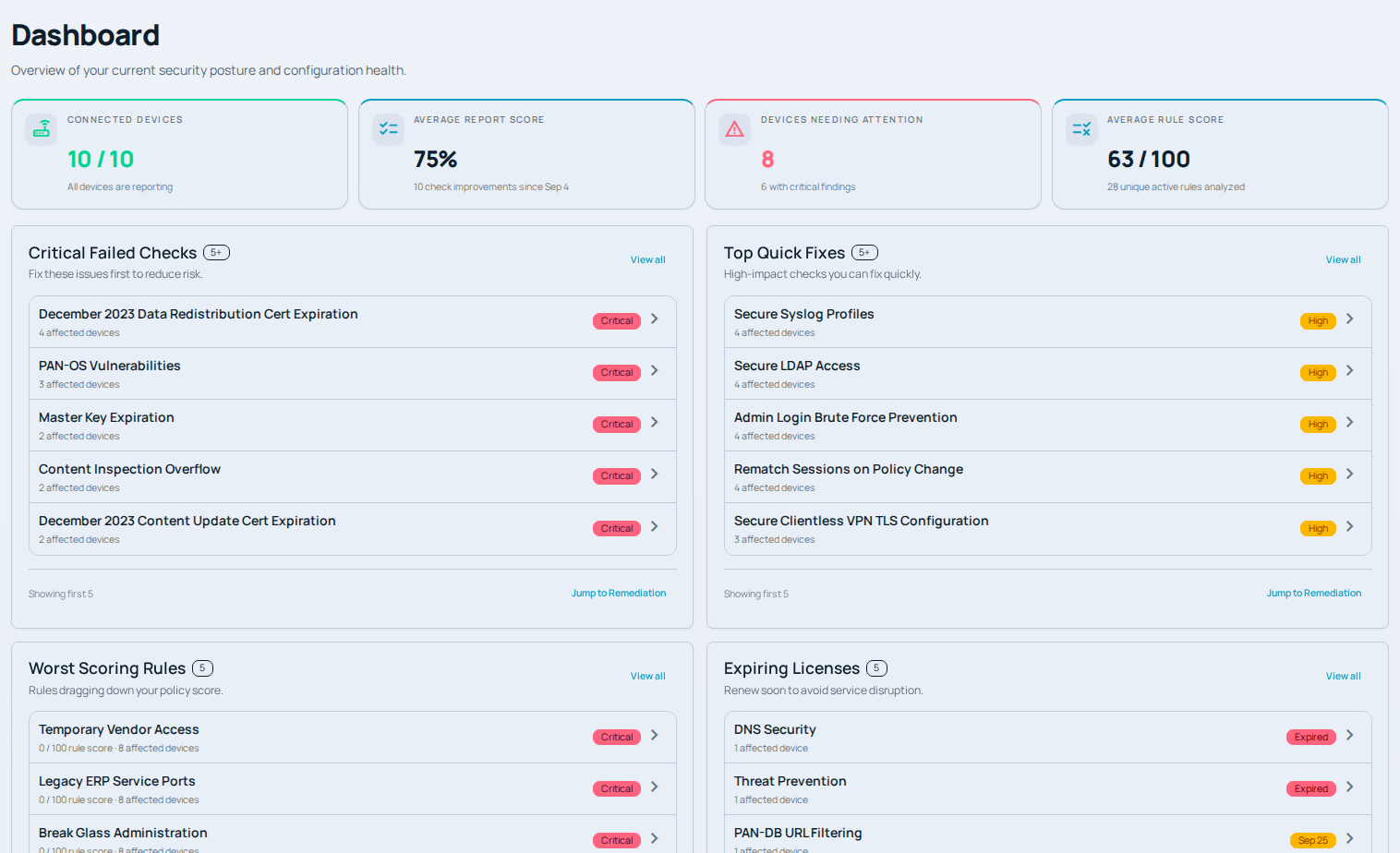
Fleet health, failed checks, and rule scores on the Falco dashboard.
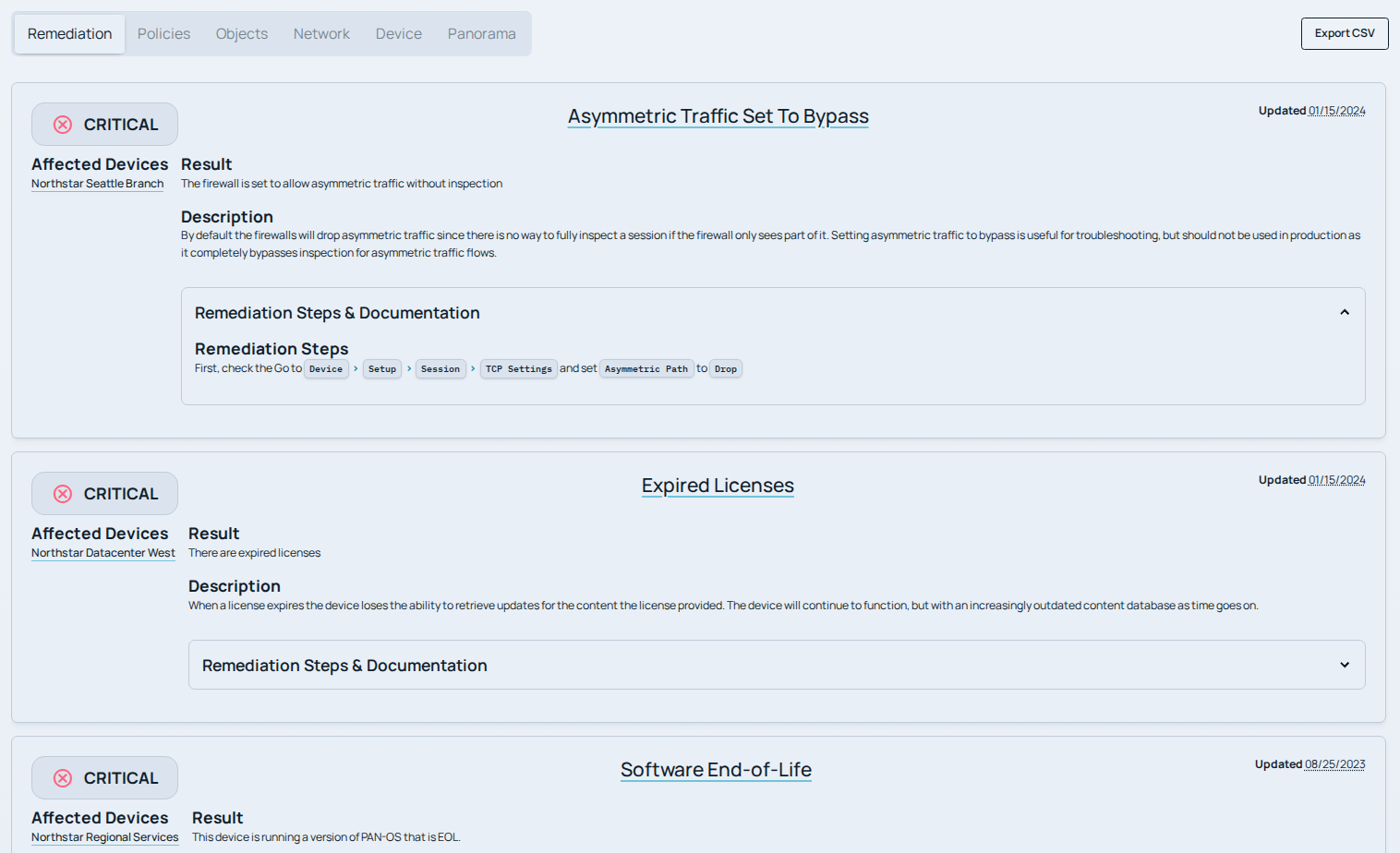
An asymmetric traffic finding with affected devices and remediation guidance.
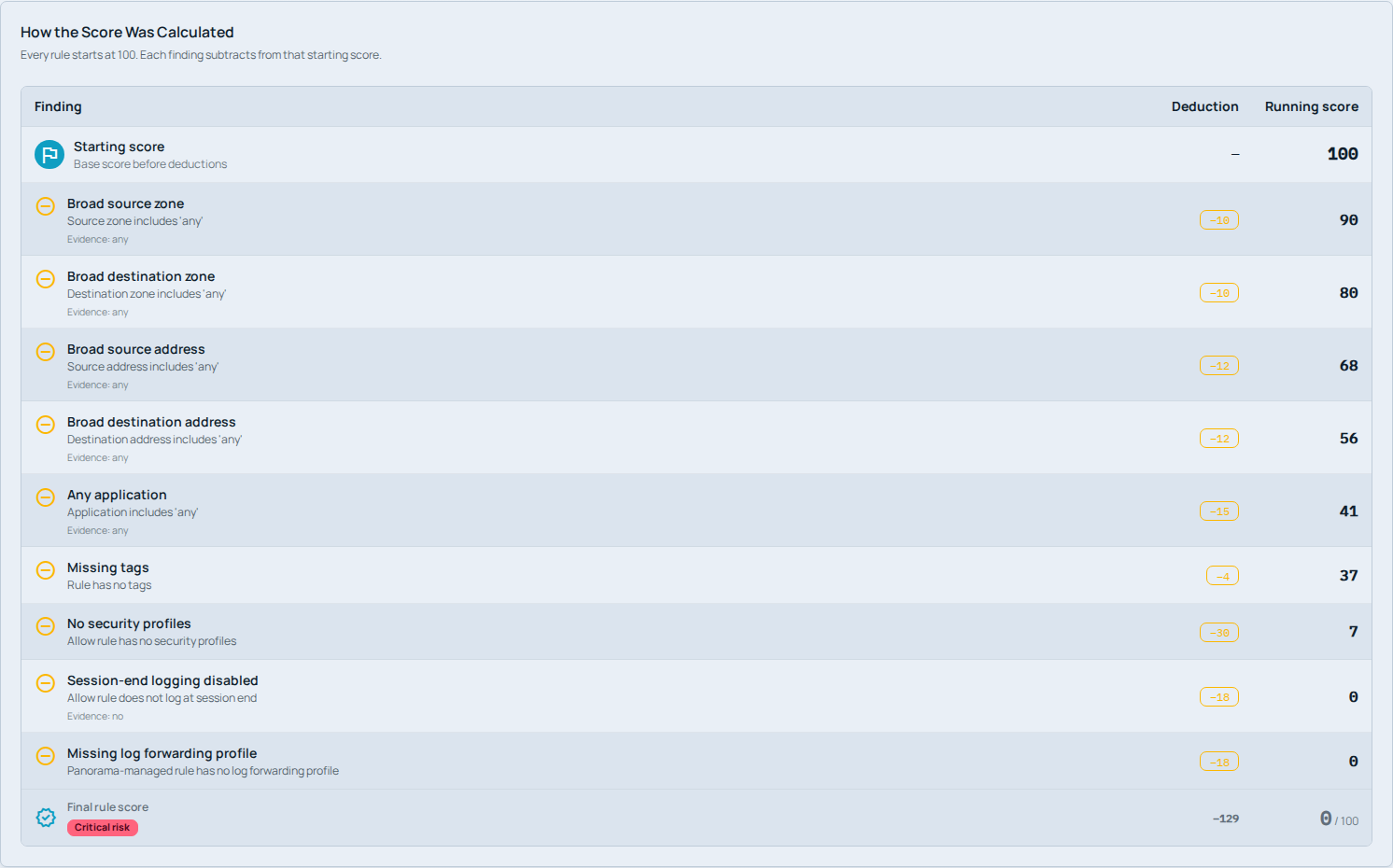
How Falco calculates the score for the demo’s Temporary Vendor Access rule.
Connect a firewall directly or connect Panorama to audit its managed devices. Falco reports each finding with its severity, affected devices, and remediation guidance. Start with the report, then use Enterprise tools to investigate individual rules and prepare supported configuration changes.
Identify which devices fail a check, understand the issue, and read the remediation steps.
Enterprise · BetaInspect broad access and missing security controls, with an explanation of each score deduction.
Enterprise · BetaReview the target devices and configuration changes before staging a supported fix.
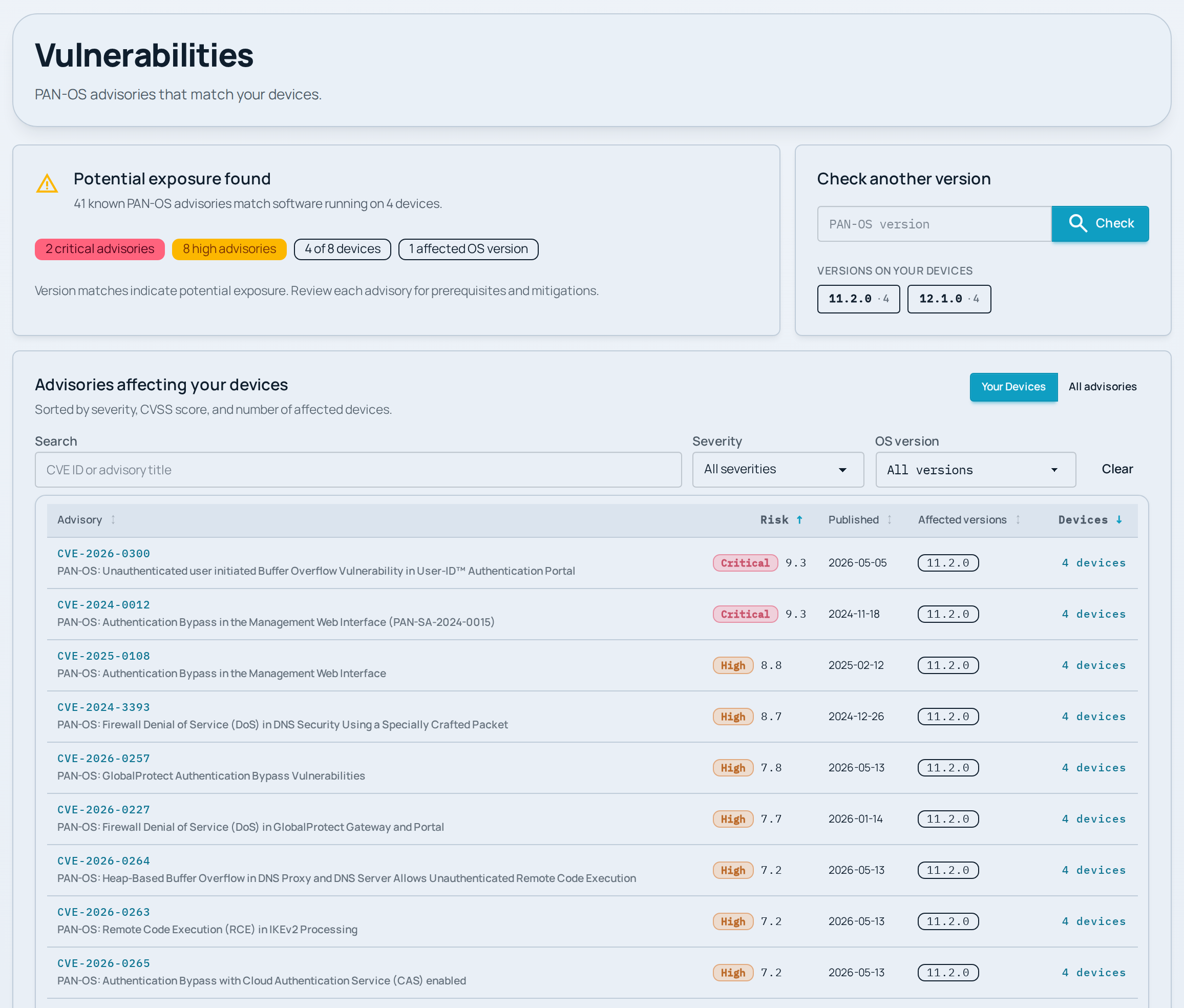
Advisories matched to the fictional Northstar fleet’s software versions.
Review potential PAN-OS exposure by severity, software version, and affected device. Check another version before an upgrade, then read the advisory’s prerequisites and mitigations.
A regression is a check that passed previously and now fails. Standard and Enterprise can notify your team by email, helping you catch issues between scheduled reports. Hourly configuration backups retain the last 100 versions per device by default for download and review.
External Dynamic Lists (EDLs) let your policies reference maintained lists of addresses or domains instead of manually updated objects. Enterprise includes managed provider lists and can stage the list, authentication, and certificate settings on a firewall or Panorama for your team to review and commit.
Every plan includes configuration audits, PAN-OS advisory matching, and support for Panorama and virtual systems (VSYS). All plans allow unlimited connected devices.
Standard and Enterprise add access to Digital Scepter engineers for help investigating findings, reviewing changes, and maintaining your firewalls. Each paid engagement is tailored to the support your team needs.
Free · First audit + monthly audits
Sign up for free, connect your devices, and review your first audit. Lite continues with free monthly audits and reports, including findings and remediation guidance.
Start with free LiteHourly audits & support
Rule analysis & change preparation
Everything in Standard, plus:
Lite is free. Standard and Enterprise include engineering support tailored to your agreement. A checkmark means included; a dash means not included. On small screens, scroll horizontally to compare all three plans.
| Features by plan | Lite FreeMonthly audits | StandardMonitoring & support | EnterpriseAnalysis & change tools |
|---|---|---|---|
| Audits and coverage | |||
| Configuration audits | Included | Included | Included |
| Scheduled audits | Monthly | Hourly | Hourly |
| Emailed reports | Monthly | Weekly | Weekly |
| PAN-OS advisory matching | Included | Included | Included |
| Panorama support | Included | Included | Included |
| Virtual systems (VSYS) | Included | Included | Included |
| Connected devices | Unlimited | Unlimited | Unlimited |
| Monitoring and engineering support | |||
| On-demand scans and check refreshes | Not included | Included | Included |
| Audit history | Not included | Included | Included |
| Regression alerts | Not included | Included | Included |
| Connectivity and certificate alerts | Not included | Included | Included |
| Hourly configuration backups | Not included | Included | Included |
| Multiple device access groups | Not included | Included | Included |
| Engineering support | Not included | Included | Included |
| Tickets and meetings | Not included | Defined by your agreement | Defined by your agreement |
| Analysis and change tools | |||
| Rule analysis (beta) | Not included | Not included | Included |
| Managed External Dynamic Lists | Not included | Not included | Included |
| Command Center | Not included | Not included | Included |
| Playbooks: review and stage changes (beta) | Not included | Not included | Included |
| Device-state backups | Not included | Not included | Included |
Playbooks prepare supported changes for your review and stage them in the candidate configuration. Your team validates, commits, and pushes those changes in PAN-OS or Panorama.
Standard and Enterprise include engineering support. Ticket allowances, meetings, and response commitments are defined in your support agreement. Lite does not include engineering support.